
 1-year warranty

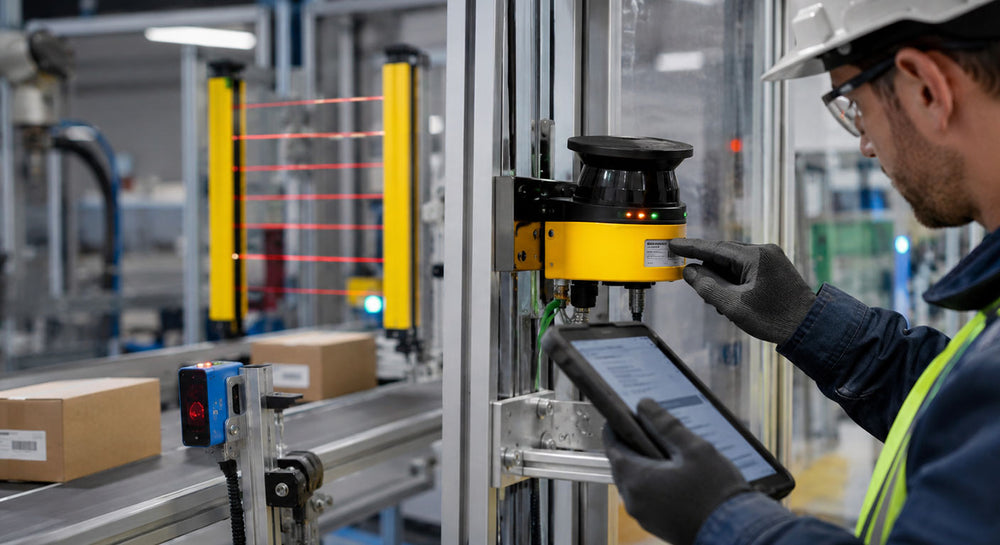
A facility running SICK sensors typically has several different product types installed. A safety laser scanner might be protecting a mobile platform, a photoelectric sensor might be handling object detection on a conveyor, and a light grid might be monitoring a pick station. SICK’s part numbers encode a lot of that detail directly, and a replacement that gets the family right but the variant wrong can still end up being the wrong part, or on a safety-rated device, a configuration that no longer matches what the machine was certified for. SICK’s S300 and S3000 safety laser scanner families are both being phased out, succeeded by the nanoScan3 and microScan3 respectively (S300, S3000), so sourcing a direct S300 or S3000 replacement increasingly means drawing on surplus, refurbished, or used inventory of the original scanner rather than new-production stock.
What information do you need before ordering a replacement SICK safety laser scanner?
SICK’s S300 safety laser scanner is built for compact installations, with a protective field range of up to 3 m, while the S3000 covers a wider area, with protective field range variants of 4 m, 5.5 m, or 7 m. The S300 is Type 3 (IEC 61496) certified, and the S3000 shares the same Type 3, IEC/EN 61496-3 certification.
Getting the replacement right means matching the exact order code, since variants within each family differ by protective field configuration and communication interface, including PROFIBUS and PROFINET versions for fieldbus-integrated installations. Because these are safety-rated devices, the replacement’s configuration should be checked against the machine’s existing safety documentation rather than assumed from the family name alone.
What information do you need before ordering a replacement SICK photoelectric sensor?
SICK’s W12 series (sold under part numbers such as WL12) covers retro-reflective and proximity photoelectric sensors for object detection over a wide range of sensing distances. Matching a replacement means confirming the sensing principle (retro-reflective versus proximity), the sensing range, the output type (PNP or NPN), the connector type, and whether the original unit uses IO-Link for configuration, since these details vary across the part number’s suffix even within the same W12 family.
What information do you need before ordering a replacement SICK light grid?
SICK’s SLG-2 series is a non-safety automation light grid used for object detection in logistics, pick-to-light, and packaging applications, it is not a safety-rated device for personnel protection. Replacement identification depends on the beam separation spacing (10 mm, 25 mm, or 50 mm) and the communication interface, since SLG-2 units are available in several beam spacing options and IO-Link configurations that aren’t interchangeable without matching the original setup. Older SLG-family units use a fixed 40 mm beam separation instead, so confirming which generation is installed matters before ordering.
How do you confirm a part has actually failed before ordering a replacement?
Many SICK sensor issues trace back to the installation rather than the device itself. Before assuming a sensor or scanner is bad, check that the target is within the unit’s rated sensing range and that the lens or reflector isn’t obstructed, since a misaligned or dirty sensor produces the same no-output symptom as a failed one. For safety laser scanners specifically, confirm the protective field hasn’t been altered, or that the unit isn’t flagging a muting or contamination warning before treating it as a hardware failure.
Why does this matter for procurement and maintenance teams?
SICK sells closely related variants under the same family name, where an incorrect order code can result in a sensor that physically fits but reads the wrong range or outputs the wrong signal type, or, for safety devices, a unit that no longer matches the machine’s certified configuration. Catching that before ordering can help avoid paying for a part that still needs replacing a second time.
A SICK sensor or scanner sourced to the exact original specification gets a line back up faster. Contact PLC Direct to check current availability and get a quote.
What do PLC Direct’s condition grades mean for Yaskawa hardware?
PLC Direct supplies industrial automation hardware in three condition grades: Sealed Surplus, Never Used Surplus, and Used/Refurbished, describing packaging and use history only, not safety ratings, calibration, or regulatory certifications. All three carry the same 1-year PLC Direct warranty, issued by PLC Direct as an independent supplier and not an OEM warranty; see the full PLC Direct Condition Grades guide for details on each grade.
