
 1 year warranty

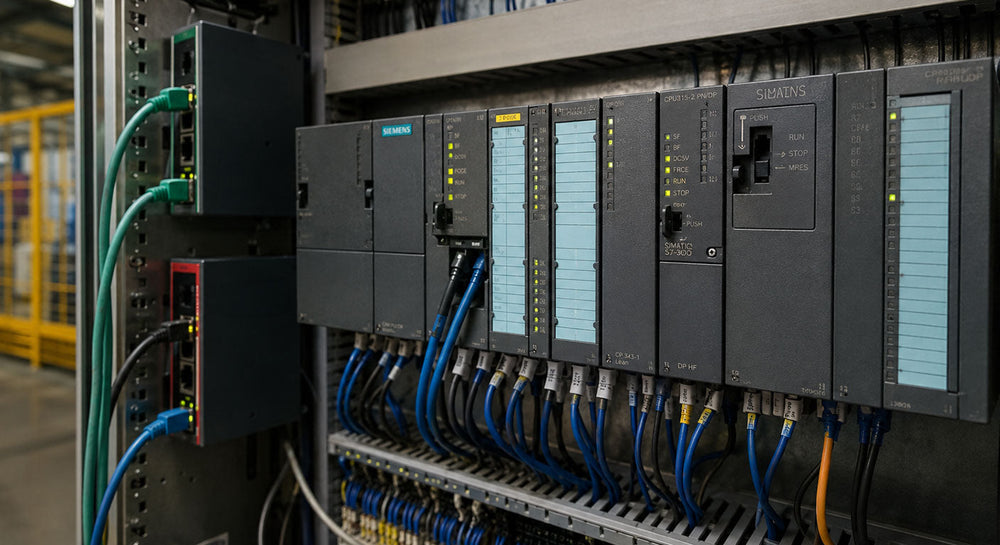
When a communication module fails, or a replacement is specified with the wrong protocol, data exchange between PLCs, drives, HMIs, and field devices breaks down entirely. In multi-vendor environments, protocol mismatches are among the most common causes of integration delays and unplanned downtime.
PROFIBUS, PROFINET, and EtherNet/IP are the three most widely deployed industrial communication protocols in installed automation networks today. Each carries distinct hardware requirements, performance characteristics, and appropriate use cases. Understanding how they compare and what network hardware each demands is essential for maintenance teams sourcing replacements and engineers planning incremental upgrades.
What Are Industrial Communication Protocols?
Industrial communication protocols are standardized rules that govern how automation devices exchange data across a network. They define the physical layer, data format, and communication timing between controllers, drives, sensors, I/O modules, and operator interfaces.
The two main protocol categories found in industrial environments are:
-
Fieldbus protocols (PROFIBUS, DeviceNet, CANopen, Modbus RTU): Serial-based, deterministic, common in legacy and brownfield installations.
-
Industrial Ethernet protocols (PROFINET, EtherNet/IP, EtherCAT, Modbus TCP/IP): Ethernet-based, higher bandwidth, standard in current installations and system upgrades.
Many facilities run both categories simultaneously, using gateway devices to bridge legacy fieldbus segments to newer Ethernet networks without replacing the installed field devices.
PROFIBUS vs PROFINET: What Is the Difference and When Does Each Apply?
PROFIBUS and PROFINET are both defined under PROFIBUS and PROFINET International but operate at fundamentally different network layers. PROFIBUS runs over RS-485 serial cabling; PROFINET runs over standard 100 Mbps Ethernet. In practice, the choice between them is almost always determined by what is already installed.
PROFIBUS DP (Decentralized Periphery):
-
Serial RS-485 communication at speeds up to 12 Mbps.
-
Deterministic, cyclic data exchange suited to distributed I/O and motion control applications.
-
Large installed base across Siemens SIMATIC S7-300 and S7-400 systems, ABB AC500, and Schneider Modicon platforms.
-
Network hardware required: DP master/slave communication modules, bus repeaters, DB9 connectors, and shielded twisted-pair cabling.
PROFINET:
-
Ethernet-based, supporting RT (Real-Time) and IRT (Isochronous Real-Time) performance classes.
-
Suited to high I/O point counts and synchronized multi-axis motion control.
-
Connects to legacy PROFIBUS segments via PN/DP link devices, preserving installed field device investments.
-
Network hardware required: PROFINET interface modules and industrial managed switches with hardware-based port prioritization.
When to use each: If the installed controller and field devices are already running PROFIBUS, replacement hardware should match the existing fieldbus. Migrating to PROFINET requires updated communication modules and compatible devices at both the controller and field device levels.
What Is EtherNet/IP and How Does It Compare?
EtherNet/IP (Ethernet Industrial Protocol) uses the Common Industrial Protocol (CIP) over standard TCP/UDP Ethernet and is widely deployed in multi-vendor environments where devices from different manufacturers share a single network.
Key characteristics:
-
Runs over standard Ethernet at 100 Mbps or 1 Gbps.
-
CIP application layer enables cross-vendor interoperability across devices compliant with ODVA standards.
-
Supported on Schneider Modicon M340 and M580, Omron Sysmac NX series, and ABB AC500 with compatible communication modules.
-
Uses standard industrial Ethernet switches and cabling, reducing infrastructure complexity compared to proprietary fieldbus wiring.
PROFINET vs EtherNet/IP in practice:
-
PROFINET is the default choice in Siemens SIMATIC-based architectures.
-
EtherNet/IP is more common in multi-vendor or mixed-brand facilities where CIP compatibility across vendors is the priority.
How to Select the Right Communication Hardware for an Installed System
Sourcing the correct communication hardware starts with precisely identifying the installed protocol. These steps apply to both maintenance replacements and incremental network expansions.
Step 1: Identify the installed protocol. Check PLC documentation, network topology drawings, or device labels for the installed protocol type. Do not rely on the controller brand alone; many platforms support multiple protocols via interchangeable communication modules.
Step 2: Match the communication module to the controller platform. PROFIBUS DP modules for Siemens SIMATIC S7 systems are not interchangeable with modules for Schneider Modicon or ABB AC500. Cross-reference the CPU series and rack slot configuration before sourcing.
Step 3: Verify the physical layer. PROFIBUS DP uses shielded twisted-pair cabling with DB9 connectors. PROFINET and EtherNet/IP use RJ45 or M12 connectors over Cat5e or Cat6 Ethernet cabling. A module sourced with the wrong physical interface will not connect to the installed network.
Step 4: Confirm gateway requirements. Connecting a PROFIBUS segment to a PROFINET or EtherNet/IP network requires a protocol gateway or PN/DP link device. Verify compatibility with both the upstream Ethernet network and the downstream PROFIBUS segment before ordering.
Step 5: Source hardware against the confirmed platform. For Siemens SIMATIC systems, source PROFIBUS and PROFINET modules from confirmed Siemens inventory. For Schneider Modicon and ABB AC500 platforms, verify the exact communication module part number for the installed CPU series before placing an order.
Conclusion
Getting communication hardware right means matching the protocol, physical layer, and controller platform precisely. A mismatched module causes downtime that far outweighs the cost of the component, making accurate identification the first step in every sourcing decision. As an independent supplier, PLC Direct sources surplus sealed, refurbished, and used communication modules and automation hardware across Siemens, Schneider Electric, ABB, and Omron platforms, including legacy and hard-to-find units. Surplus sealed units are factory-sealed stock; refurbished units have been tested and restored to operational condition. All products carry a 1-year PLC Direct warranty covering defects and functionality. Contact PLC Direct to check availability on the specific industrial communication hardware your system requires.
