
 1 year warranty

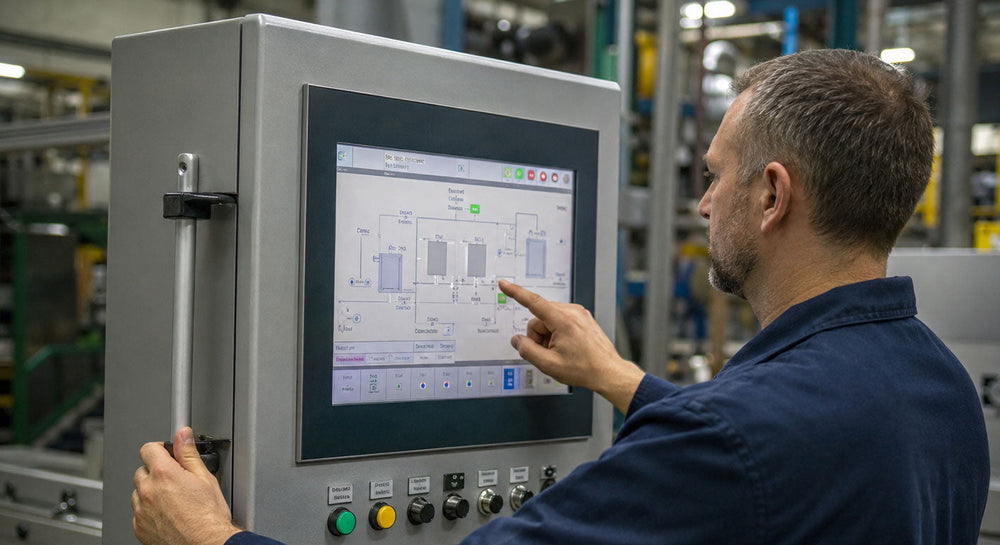
When an HMI panel fails on a production line running a ten or fifteen-year-old control system, the fix is rarely as simple as ordering a new unit off the shelf. The original model may be discontinued, the firmware may not match, and the mounting cutout on the panel may not line up with anything currently in production.
According to the U.S. Bureau of Labor Statistics, installation, maintenance, and repair occupations are projected to grow faster than the average for all U.S. occupations through 2034, with roughly 608,100 openings expected each year. Facilities are competing for the technicians who keep aging equipment running, and that pressure lands directly on the people responsible for sourcing replacement parts for legacy automation hardware.
An industrial HMI panel is rarely an isolated component. It's tied to a specific PLC platform, a specific communication protocol, and often a specific software version that may no longer be supported by the original manufacturer. Finding a compatible HMI touch panel for an older installation means understanding not just the model number, but also the entire system it was built to communicate with.
Why Do Industrial HMI Panels Fail on Legacy Systems?
HMI panels typically fail due to backlight degradation, touchscreen membrane wear, or capacitor aging in the internal power supply. These issues accelerate with years of continuous operation in dusty or high-vibration environments.
On older installations, failures often coincide with the panel reaching the manufacturer's end-of-life status. That removes the option of a direct replacement through standard channels.
Common failure points on an aging HMI panel include:
-
Screens losing touch responsiveness in high-traffic operator stations
-
Backlights dimming to the point of unreadable displays
-
Communication ports failing after repeated connector wear
-
Internal batteries losing the ability to hold recipe or alarm data
-
Enclosure seals degrading in washdown or high-humidity environments
Because these panels are often the only interface an operator has to a running process, a single failure can halt a line until a compatible replacement is found.
How Do You Identify the Right Replacement HMI Touch Panel?
The starting point is the exact model and series printed on the panel's nameplate, not just the brand name. Two panels from the same manufacturer can differ significantly in screen size, communication protocol, and mounting depth. Matching the full part number is the most reliable way to confirm compatibility.
Siemens-based systems typically call for a Siemens HMI operator panel, while Mitsubishi Electric and Schneider Electric installations each pair with their own manufacturer's HMI line. Confirming the manufacturer alone isn't enough, since panel families within the same brand can still differ in screen size and mounting depth.
Confirming which family a legacy HMI touch panel belongs to before ordering avoids the cost and downtime of receiving a unit that looks similar but won't communicate with the existing PLC.
What Should You Know About HMI Panel Compatibility Before Ordering?
Compatibility comes down to three factors: the communication protocol, the physical mounting dimensions, and the firmware or project file version the panel was configured to run. Getting any one of these wrong typically means the panel powers on but can't connect to the rest of the system.
Before ordering a replacement industrial HMI panel, it helps to confirm:
-
The exact protocol in use, such as PROFIBUS, EtherNet/IP, or Modbus
-
The physical cutout and mounting depth of the existing panel
-
Whether the replacement needs to accept the original project file
-
The voltage and power supply requirements of the installed unit
Skipping this step is one of the most common reasons a maintenance team ends up with a panel that arrives but doesn't fit the application.
Where Do Industrial Facilities Source Discontinued HMI Panels?
Facilities running discontinued HMI panels typically look beyond standard manufacturer channels. Once a unit is phased out, it's no longer manufactured or stocked through the manufacturer's distribution network.
Independent suppliers specializing in surplus and used industrial automation hardware are a practical option for keeping these systems running without a full HMI upgrade project.
PLC Direct is one such independent supplier, carrying HMI panels alongside the PLCs, drives, and I/O hardware they are typically paired with. An operator interface rarely fails in isolation from the rest of the control system it belongs to. We've covered related ground in our post on HMI systems for remote mine monitoring, which examines how operator visibility and panel reliability tie into broader safety outcomes.
What Hardware Conditions Are Available for Legacy HMI Panels?
HMI panels sold as replacements for legacy systems generally fall into one of three condition categories: Sealed Surplus, Never Used Surplus, and Used/Refurbished. Which one makes sense for a given order usually comes down to budget and how much risk a facility is willing to accept on a critical operator station.
A Sealed Surplus panel is still in its original factory packaging, though the stock itself may be from an earlier production run. Never Used Surplus panels have never been installed on a machine but may have lost their factory seal along the way. Used/Refurbished panels have gone through inspection and testing and been brought back to working condition before resale.
Every HMI panel sold through PLC Direct comes with a standard 1-year PLC Direct warranty covering defects and functionality, applicable to Sealed Surplus, Never Used Surplus, and Used/Refurbished products. This warranty is issued by PLC Direct, an independent supplier, and is not an OEM or manufacturer warranty.
A cracked screen or a dead backlight doesn't have to mean scrapping a working control system. If you're trying to track down a specific industrial HMI panel or confirm whether an HMI touch panel will work with your existing PLC, reach out to PLC Direct with your model number to check availability and get a quote.
