
 1-year warranty

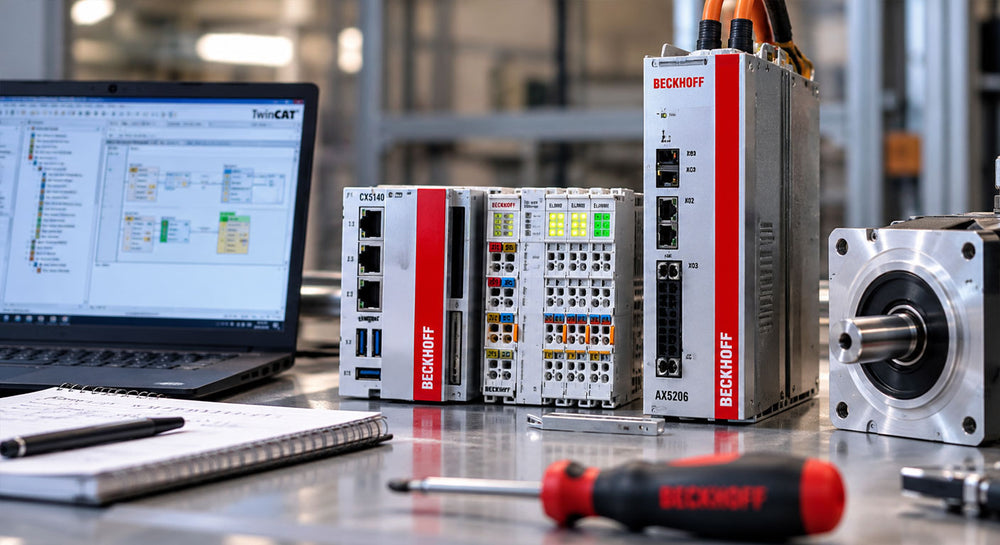
A facility running Beckhoff automation hardware typically has an Embedded PC controller paired with EtherCAT or Bus Terminal I/O, sometimes alongside an AX5000 servo drive for motion control. Beckhoff’s part numbering closely reflects that modularity; a CX, EL, KL, or AX5000 unit can look nearly identical to another variant in the same family, so getting the series right isn’t enough on its own. The bus system, channel configuration, or current rating buried in the model number usually determines whether a replacement works.
What information do you need before ordering a replacement Beckhoff Embedded PC?
Start with the exact model number on the unit, since Beckhoff’s CX series spans multiple generations with different processor types and I/O connection options. The CX series combines PC-based control with direct connection to Beckhoff’s EtherCAT (EL) terminal I/O on its right-hand side, so confirming which generation is installed matters for both processor compatibility and how the existing I/O rack connects. Programming and configuration of the controller are handled through Beckhoff’s TwinCAT software, which is separate from the hardware itself.
What information do you need before ordering a replacement I/O terminal?
The terminal’s bus system is the first thing to confirm. Beckhoff’s EL series terminals run on EtherCAT (E-bus), while the KL series runs on the earlier Bus Terminal system (K-bus). A CX Embedded PC’s EtherCAT side accepts EL terminals directly; KL terminals join the same EtherCAT system through a BK1250 Bus Coupler, which sits in the terminal rack and bridges K-bus terminals onto the E-bus side. The controller identifies each terminal type once it’s connected, but an EL terminal and a KL terminal are not interchangeable with each other, coupler or no coupler.
So, a replacement needs to match the original terminal’s bus type, not just its function. Beyond the bus system, the terminal’s specific function (digital input, analog output, communication, and so on) and channel count need to match the installed module for the I/O rack to read correctly.
What information do you need before ordering a replacement Beckhoff servo drive?
Beckhoff’s AX5000 series servo drives are available in single-channel and two-channel configurations, with rated current varying by model. The drive’s channel configuration and current rating must match the installed motor and application, since a single-channel drive isn’t a direct substitute for a two-channel unit, even within the same AX5000 family. The AX5000 line communicates over EtherCAT and is commissioned through TwinCAT, consistent with the rest of the Beckhoff control architecture.
How do you confirm a part has actually failed before ordering a replacement?
Beckhoff’s modular I/O makes this easier to check than on many systems, since each terminal and the controller itself report status through onboard LEDs and through TwinCAT’s diagnostics. Before assuming a terminal, controller, or drive is bad, check whether the EtherCAT or K-bus chain shows an error at that specific position or further upstream, since a fault earlier in the bus can cascade and make a working terminal appear dead. A terminal or drive that still shows a bus-level fault after the connection and power are confirmed good is the one actually worth replacing.
Why does this matter for procurement and maintenance teams?
Beckhoff’s modular design means a rack can be built almost entirely from parts that look alike, with the real differences (bus type, channel count, current rating) buried in the model number rather than the housing. A replacement ordered on series name alone, without confirming those details, risks sitting unused if it doesn’t fit the installed configuration, which adds a second delay on top of the original downtime.
Sourcing the exact Beckhoff controller, terminal, or drive variant doesn’t have to slow down a repair. Contact PLC Direct to check current availability and get a quote.
