
 1 year warranty

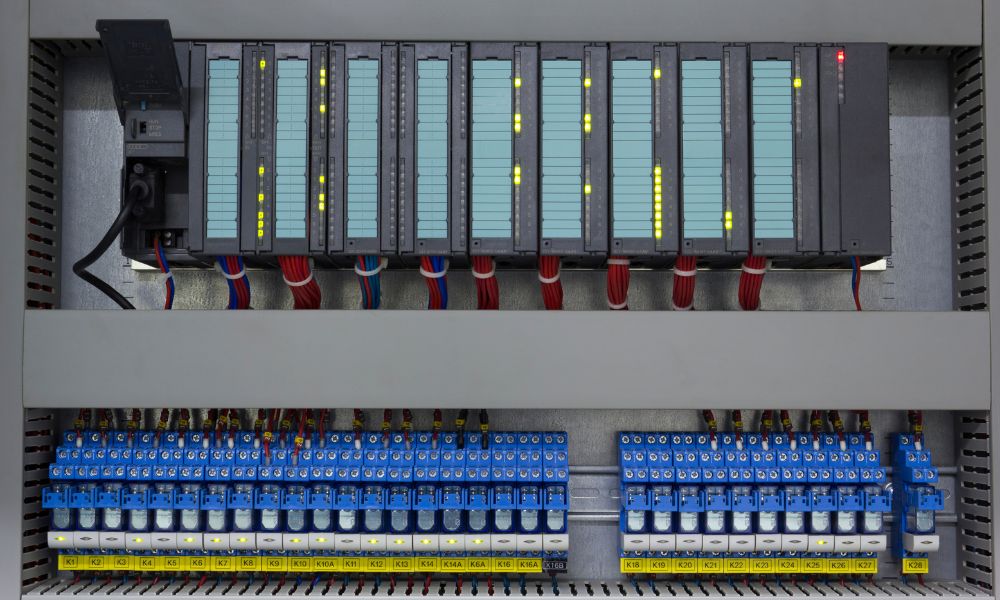
Replacing a PLC is one of the highest-risk maintenance events in any industrial facility. A poorly handled installation or a handful of PLC programming errors can bring a production line to a standstill for hours, generating costs that far exceed the price of the hardware itself. Whether you are in the middle of replacing a PLC on an aging system or commissioning a new unit for the first time, knowing where these transitions go wrong is the first step toward avoiding PLC replacement downtime. Here are five mistakes to avoid when installing a new PLC.
Mistake 1: Why Should You Reference Older PLC Code Before Programming a New Unit?
When you're changing out one PLC for another, it's vital that you program your new one in a similar manner. Your older code possesses the groundwork necessary to classify the different pieces of equipment and define each function for your PLC. This doesn't change simply because you're installing a different model of PLC.
So, make sure you keep a record of your older code and continue to reference it throughout the programming stage. This way, you know you're creating something that works. Failing to consult the original program before programming the replacement controller is one of the most common PLC installation mistakes. Engineers who skip this step often find themselves rebuilding logic from memory, which introduces errors that are difficult to trace once the system is running. Always archive a clean copy of the existing program before any hardware change.
Mistake 2: Do PLC Programming Errors Increase When You Write Code From Scratch?
You shouldn't need to write your new PLC's code from scratch. If the product is compatible with your system, it will run even if you transfer the old code from your previous PLC. Writing new code takes a lot of time, wasting precious minutes that your equipment could use to produce more products.
For this reason, don't hesitate to transfer the existing program and test it. Should it run as intended, you save yourself a lot of time. If it doesn't, address the issue with smaller pieces of targeted code. Writing original code from scratch also introduces new variables that must be debugged before the system returns to production; reserve that effort for new machine builds or major platform migrations, not routine hardware replacements.
Mistake 3: How Does Poor System Structure Lead to PLC Installation Mistakes?
Failing to maintain an organized system structure is also a mistake you should avoid when installing a new PLC. For your new model to operate correctly, it needs to have a clear understanding of which components to control and when. Making recognizable labels for each part can greatly improve readability and reduce the risk of performance issues later.
Without consistent naming conventions and logical program organization, troubleshooting becomes time-consuming, and the risk of misconfiguration during a repair increases. When installing a replacement controller, treat the transition as an opportunity to improve structure if the existing one is disorganized. A well-organized program reduces diagnostic time significantly when the next fault occurs, which matters most during unplanned downtime events.
Mistake 4: Why Do Code Redundancies Cause Problems During and After PLC Installation?
Likewise, try to avoid coding redundancies, such as leaving multiple lines with the same order or creating multiple labels for the same equipment part. These factors can slow your PLC's processing rate and hinder its overall performance.
Redundant outputs are a particular concern: two rungs attempting to drive the same physical output in different states simultaneously can create control conflicts that are difficult to diagnose. In applications where PLCs operate in coordination with VFDs, servo drives, or distributed I/O modules, even small scan-time penalties from redundant code can affect cycle performance and system response. Review the program for redundant rungs before going live.
Mistake 5: Why Is Version Control Critical When You Replace a PLC?
Make sure you're implementing version control procedures as well. You may write several different pieces of code for this new PLC. Each will send a different order to your machines depending on the specific task you want it to perform. Keeping everything separate and properly tagged will make it easier for your team to select the right one for the project. Otherwise, you risk a manufacturing error.
Label each program revision with a date, version number, and a brief description of changes. Store backups in a location accessible to the maintenance team. This discipline is especially important in facilities where multiple automation platforms run in parallel; knowing exactly what is loaded on each controller is a basic requirement for reliable system management and a direct defense against PLC replacement downtime.
Sourcing a Replacement PLC for Your Industrial System
When a controller reaches the end of its life or fails unexpectedly, replacing a PLC quickly is a direct factor in how long your line remains offline. Authorized channels often carry extended lead times for legacy hardware, particularly for older platforms that are no longer in active production.
PLC Direct supplies surplus sealed, refurbished, and used PLCs and industrial automation hardware, including associated I/O modules, drives, and HMIs, across a range of manufacturers and platforms. If you are sourcing a replacement unit for an existing installation, contact PLC Direct to check availability and get a quote.
